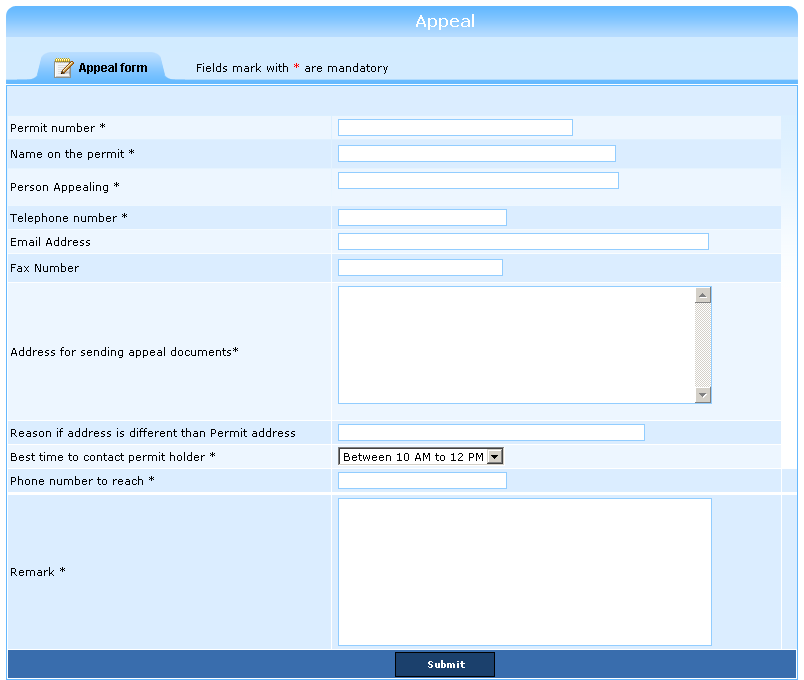
The Appeal form enables a citizen to report a discrepancy in a generated bill. A citizen needs to enter his/her (1) permit number, (2) corresponding bill number, and (3) contact person name and phone number. The system validates the authenticity of the details and directs the citizen to the Appeal form.
The Appeal form auto-populates the previously entered details and allows the citizen to enter the discrepancy details in the Remark section. In addition, the citizen can specify the address for sending the appeal documents; best time to contact and the contact number. As the required details are entered in the system, the citizen receives an appeal confirmation number in the registered email address. This number can be used to track the progress of the reported discrepancy.
Perform the following steps to fill the appeal form:
1. Enter the required details click Continue to validate the entered details and display the Appeal form.
Note: In the Appeal form, fields mark with an asterisk (*) are mandatory.
2. In the Address for sending appeal documents text area, enter the address.
3. From the Best time to contact permit holder drop-down box, select t he best time to contact the permit holder.
4. In the Phone number to reach box, enter the contact number.
5. In the Remark text area, enter the bill discrepancy details and click Submit to submit all entered details.
The system automatically generates the appeal confirmation number and sends it to the permit holder’s email address.
Copyright 2000-2009 City of Houston Alarm Program